How to Download Claude Artifacts in 2026 (Export, PDF, ZIP)
Download Claude artifacts with the new Export button (Word, PDF, PowerPoint, MP4), save older artifacts, or grab every file from a chat at once.
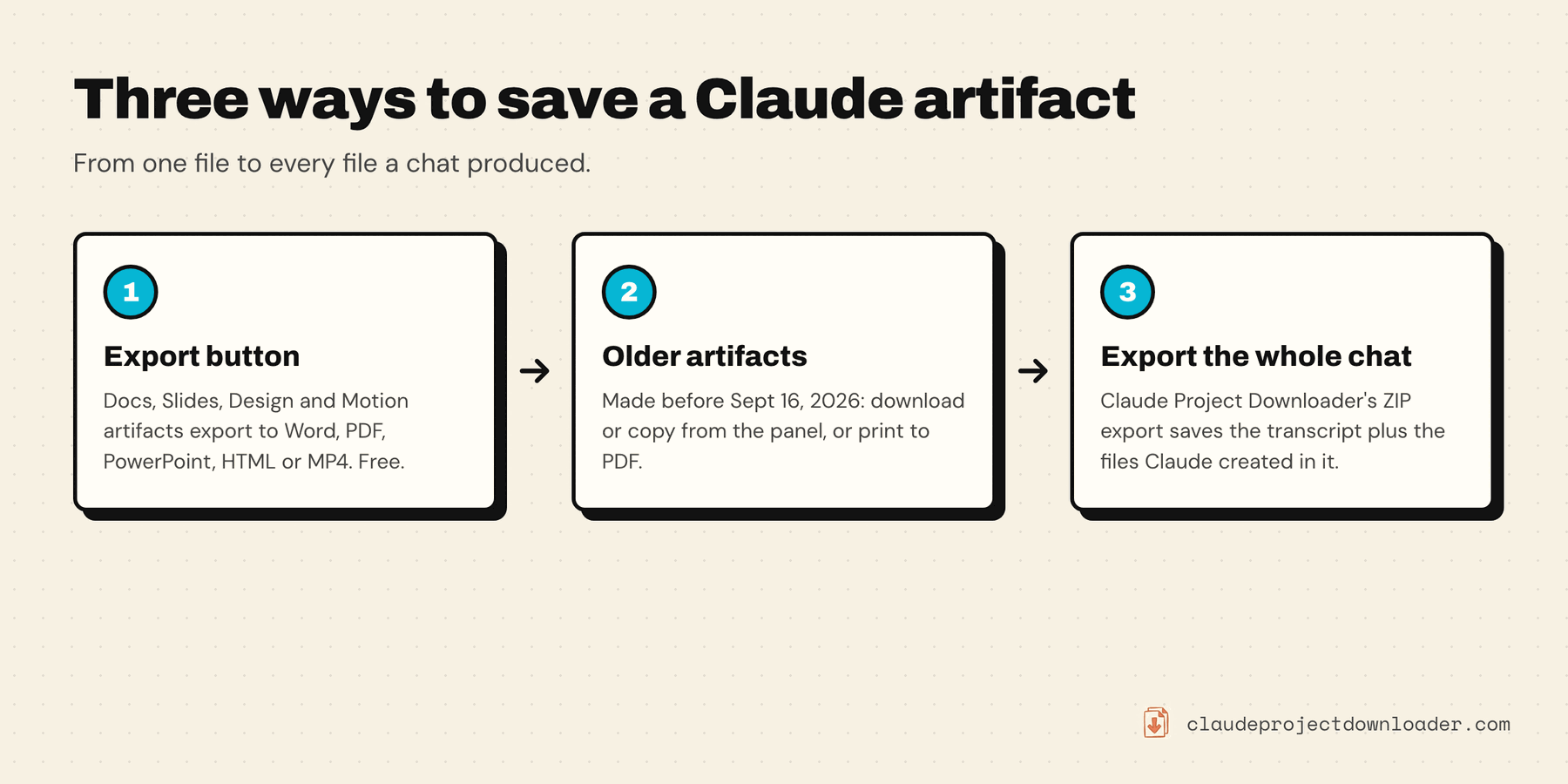
To download Claude artifacts, open the artifact and click Export. Since September 2026, artifacts made from Claude's Docs, Slides, Design and Motion templates export straight to Word, PDF, PowerPoint, HTML or MP4. Older artifacts, made in a chat before September 16, 2026, still use the download and copy controls at the top of the artifact panel. What Claude doesn't offer is one button that downloads every artifact and file from a chat at once. For that you need an export tool.
This works on artifacts in your own chats, or ones someone has shared or published to you. Export tools, ours included, only see conversations your account can already open.
How to download Claude artifacts with the Export button
Claude changed artifacts in September 2026. New ones can start from a template (Docs, Slides, Design, Dashboards or Motion) and open on a canvas you can edit directly. According to Anthropic's artifacts help page, you download them like this:
- Open the artifact. Click its card in the chat, or find it in the Artifacts tab in the sidebar.
- Click Export.
- Pick a format. What's on offer depends on the template:
| Template | Export formats |
|---|---|
| Docs | Word, PDF, Markdown, Google Docs |
| Slides | PowerPoint, PDF, Google Slides (as editable files) |
| Design | .zip, PDF, PowerPoint, standalone HTML, or straight to another tool |
| Motion (beta, Team and Enterprise) | MP4 video |
- Open the file to check it before you rely on it. A deck with custom fonts or a design with interactive parts may not look identical outside Claude.
The help page doesn't list a file export for Dashboards, which are in beta on paid plans. Anthropic's artifacts overview describes sending dashboards on to tools like Amplitude or PostHog instead.
Download older (legacy) artifacts
Anthropic calls artifacts made in a chat before September 16, 2026 legacy artifacts. They keep working, and you can still publish and share them, but you can't make new ones. They don't have the Export button. Instead:
- Open the chat and click the artifact card so it opens in the panel beside the conversation.
- If Claude revised it several times, check you're on the version you want.
- Use the controls at the top of the panel. Copy puts the raw source (code, Markdown, HTML) on your clipboard, which is often all you need for code. The download option saves it as a file in its own format.
- Open the downloaded file to check it works.
Files Claude created in a chat (Word documents, spreadsheets, slide decks, PDFs) are different from artifacts. They show up as file cards with their own download button and come back in their real format.
Find an artifact you made earlier
Everything you make is saved to the Artifacts tab in Claude's sidebar, so you don't have to remember which chat it came from. From there you can view all your artifacts, open one, and export it. It's the quickest way to download Claude artifacts you made weeks ago. On the Claude iOS and Android apps you can view and edit artifacts in the same tab. Change sharing settings on the web or in Claude Desktop.
If you don't see artifacts at all, check Settings → Capabilities. Anthropic's help page says artifacts need the code execution and file creation setting turned on. On Team and Enterprise plans, an owner controls that in Organization settings.
Save a Claude artifact as a PDF
- Docs, Slides and Design: choose PDF in the Export menu. No workarounds needed.
- Motion: it exports as MP4 video, not PDF. Take screenshots if you need stills.
- Legacy document artifacts: if the download option doesn't give you a PDF, download it as Markdown and convert it, or open it full-screen and use your browser's Print → Save as PDF.
- Interactive artifacts (apps, small tools, React components): a PDF only captures what's on screen. Publishing a legacy artifact gives you a public page you can open and print, but anyone with the link can see it. Only do that for work you're happy to share.
Download every artifact in a chat at once
Clicking through twenty artifacts one by one is where the built-in route breaks down. Claude Project Downloader adds a Download button next to Share on every chat. Choose ZIP with attachments and you get:
- the full chat transcript as Markdown
- every file Claude created in the chat, downloaded the same way Claude's own Download button fetches it
- the files you uploaded to that chat
Files Claude wrote out in full also appear in the Markdown transcript as code blocks, so the plain Markdown export keeps them too. To do this for every chat in a project, tick Include chat attachments in the side panel on the project page and use Download All Chats. See how to export Claude chats for the formats.
Be clear on what this does and doesn't do. Claude Project Downloader saves what lives in the chat. It doesn't turn a Docs, Slides or Motion artifact into a Word file, a PowerPoint deck or a video. Use Claude's Export for those. The two work well together: Export for the polished file, the ZIP for the conversation that produced it.
Use someone else's published artifact
If someone publishes a legacy artifact you like, you can't download their chat, but you can build your own copy. Anthropic's steps, available on Free, Pro and Max plans:
- Open the published artifact and click Copy to copy its code.
- Start a new chat, paste the code, and describe the changes you want.
- Refine it like any artifact you made yourself.
Anthropic's own advice: only do this with artifacts from people you trust, and treat the code like a file from an unknown sender.
What you can't get back
Worth knowing before you count on any tool, ours included:
- Files Claude never saved. Claude sometimes describes or runs a file without writing it anywhere it can be downloaded. If the file can't be fetched, Claude Project Downloader puts a short note in the ZIP naming the file, so you know to recreate it, rather than silently skipping it.
- Working apps. An interactive legacy artifact downloads as its source code. To run it again, open the HTML in a browser, or rebuild the React component in a project of your own.
- Deleted chats. Anthropic's help page doesn't say what happens to an artifact when you delete the chat that made it. Don't find out the hard way. Export first, then delete.
- Older tools may miss new artifacts. Claude has changed how it stores artifacts and generated files several times, most recently in September 2026. An artifact downloader that hasn't been updated in a while (one popular GitHub project was last updated in October 2024) may miss newer files. Test on a chat you care about. See the free Claude export tools comparison.
Free vs. Pro
Claude's own Export and download buttons are free and unlimited, one artifact at a time. Claude Project Downloader's free plan gives you 5 single downloads a day (each chat ZIP counts as one) plus one bulk export, such as all chats in a project. Pro removes both limits and adds automatic backups of every project and chat. See how to back up Claude projects and chats.